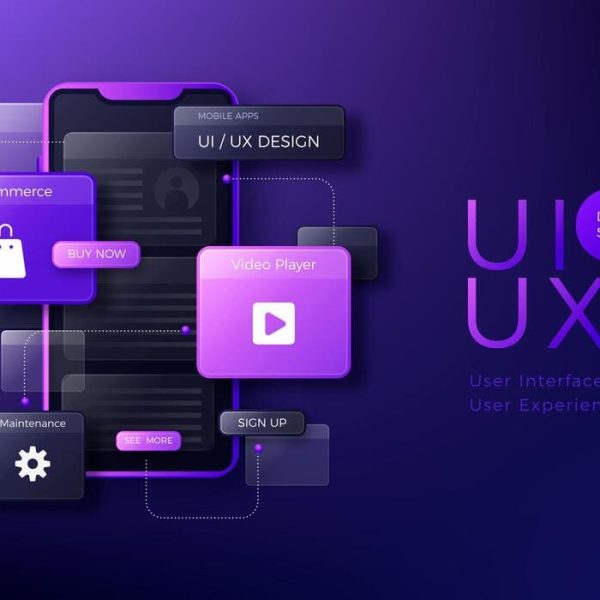
A checkout button that says Buy Now fits neatly on a phone screen. Translate it into German or Finnish and the label may spill over its container or wrap into two lines. The product still works but the experience feels cheap. Interface text is the smallest content in any product and one of the hardest to translate well. Teams that ignore this tend to discover the damage only after users start leaving. Early testing in two or three languages is usually enough to expose the main risks.
The first problem is space. Interface labels live inside fixed boxes and tabs and menus. Translated text often runs longer than the English source and sometimes shorter. A design that looks perfect in the original language can collapse in another. Designers who test only with English strings are testing half of the product. A pseudo language test with stretched text reveals most layout failures before any real translation exists. This simple test costs almost nothing and it changes how designers build components.
The second problem is context. Translators who receive a spreadsheet of isolated strings must guess what each one means. The word Save can describe a button or a discount or a rescue. Without screenshots or notes the translator picks the most common meaning and sometimes picks wrong. Users then see a confusing label at the exact moment they need clarity. Support teams then field questions that a better label would have prevented. Context is cheap to provide and expensive to lack. A screenshot next to each string answers most questions before the translator even asks.
The third problem is tone. Microcopy carries personality. A friendly error message in English can sound childish when translated word for word into a language where formal address is expected. A playful onboarding line may read as unprofessional in a banking app. Good UX writers define a voice guide and share it with every language team so the product sounds like one brand everywhere. This guide should include examples of good and bad phrasing for every language.
Finally there are variables and plurals and dates. Strings built from several fragments break in languages with different word order. Plural rules differ widely and some languages need more than two forms. Date and currency formats vary by region. Developers who hard code sentence pieces create bugs that no translator can fix. Planning for these issues in the design phase saves repeated engineering rework later. It also helps teams estimate the true effort of supporting a new language.
Why Editing Matters in Interfaces
Even a correct translation can fail in context. Professional multilingual editing and proofreading checks that each string fits the screen and matches the voice and stays consistent with the rest of the product. A second linguist reading the live interface catches truncated labels and mismatched terms that a spreadsheet review never shows. This step usually takes little time and prevents the most visible mistakes. The reviewer should also have access to the design files so spacing issues can be checked against the original.
Consistency deserves special attention. A product that calls the same feature three different names confuses users and support teams alike. A termbase keeps the choice stable across releases and across translators. It also speeds up future updates because new strings reuse approved terms. Teams that skip this tool often pay for it in support tickets and negative reviews. A shared glossary is one of the cheapest quality tools a product team can adopt.
Testing Before Launch
Linguistic testing belongs in the release plan and it should sit beside app localization work rather than after it. Reviewers should open the real build and walk through key flows in every language. They should check sign up and payment and error states and email notifications. Many companies test only the home screen and discover problems deep in the product after launch. A short checklist for each language keeps this process fast and repeatable.
Localization goes beyond words. It covers images and formats and legal notices and store listings. A screenshot with English text inside an otherwise translated app feels sloppy. Right to left languages need mirrored layouts and adjusted icons. Treating localization as a design requirement from the start avoids a long list of late fixes. It also gives product teams a realistic view of the cost of entering each new market.
Learning From UX Research
Research bodies have documented how users read interface text. The Nielsen Norman Group publishes extensive findings on scanning behavior and clear labels. Automation can help when used carefully and our article on hyperautomation in localization shows how workflows reduce manual handoffs. Combining automation with human review gives speed without sacrificing quality.
These findings apply in every language but they become more important when text expands. Short and specific labels survive translation better than clever ones. Plain wording also reduces the risk of cultural misunderstanding. The Interaction Design Foundation offers learning material that helps designers think about global audiences. Teams that read it tend to write labels that travel well from the first draft.
A Practical Plan for Product Teams
Start with a style guide for your interface voice. Write short rules for tone and capitalization and punctuation and address forms. Share it with translators along with screenshots and character limits. Agree on how to handle names and brand terms. These small decisions remove most of the guesswork that causes inconsistent strings.
Build a loop between design and language. Designers should see translated screens early and flag layout issues. Translators should be able to ask questions without waiting for a release. Product managers should budget time for linguistic review in every sprint that touches text. This rhythm prevents the last minute scramble that damages quality. Over time the habit becomes part of the culture and release dates stop slipping.
Good UX writing travels when it is planned for travel. Give translators context and give designers flexible layouts. Test the live product in every language and keep terms consistent. Users in every market notice when a product speaks their language naturally and they reward it with trust and repeat use. That trust is hard to win through advertising and easy to lose through careless text.